This article is general guidance, not legal advice.
A warehouse admin office needs a clear boundary between desk work and the movement of people, stock and equipment. Plan the office area around daily admin tasks, safe access, storage, communication with the warehouse team and the route between the office and operational areas.
Key Takeaways
- Define which tasks belong in the admin office and which happen on the warehouse floor.
- Choose a location with practical access and a clear way to communicate with operations staff.
- Plan desks, chairs, storage and shared equipment to avoid crowding.
- Keep walkways and doors clear, especially where office and warehouse routes meet.
- Review the setup with admin and warehouse staff, then adjust it as work patterns change.
The 2-minute version
- Map the tasks: list paperwork, scheduling, inventory updates, meetings and staff support.
- Choose the office area: review access, visibility, noise and separation from warehouse activity.
- Plan the workstations: allow room for screens, documents, chairs and shared equipment.
- Organise records and supplies: keep frequently used items accessible and walkways uncluttered.
- Check with both teams: ask admin and warehouse staff what they need from the space.
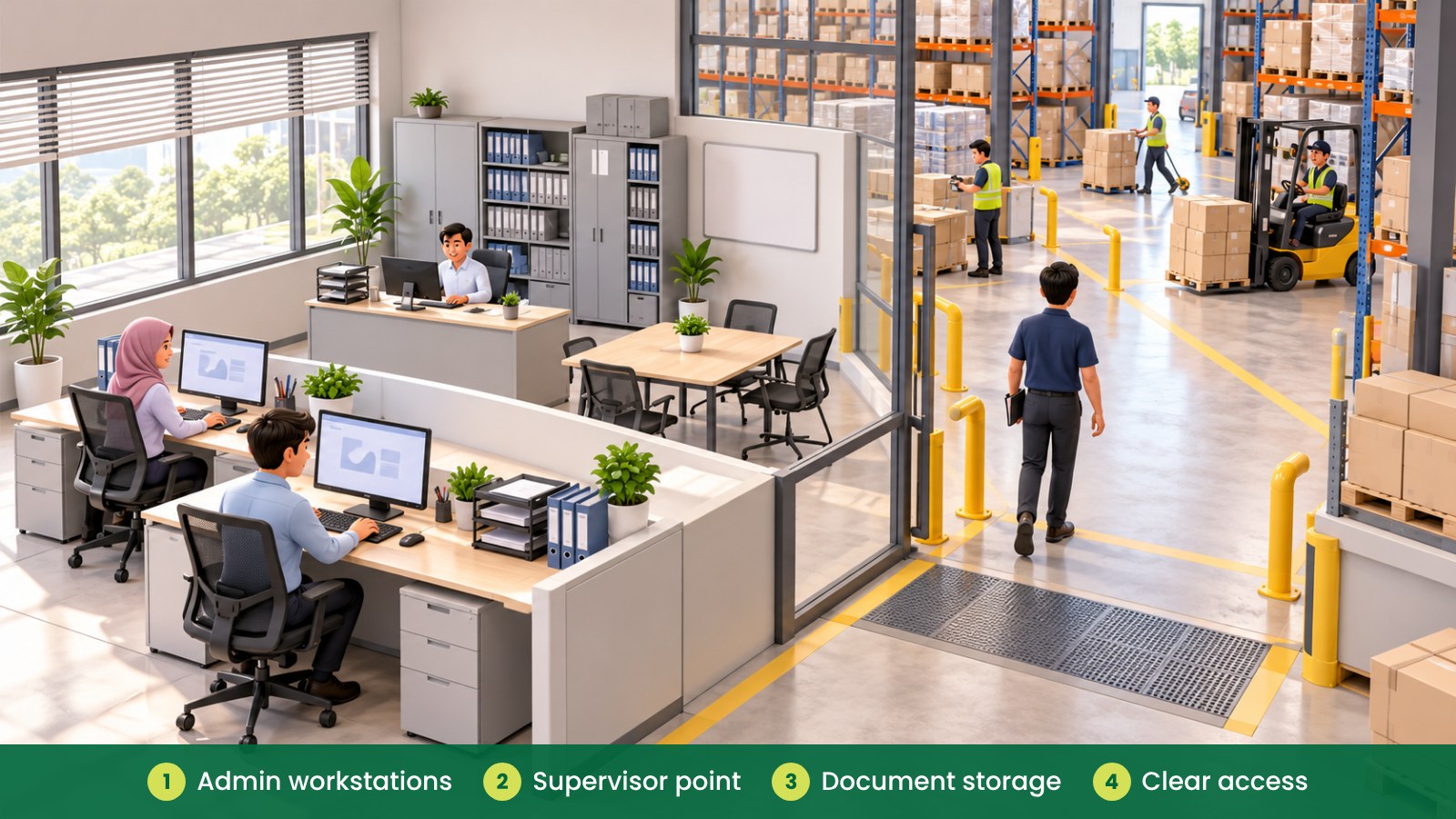
What does a warehouse admin office need?
The office may support order processing, inventory updates, delivery coordination, staff communication and document handling. The exact mix varies by site, so plan around the work rather than copying a layout from another warehouse.
Admin staff may need a quieter place for detailed computer work, while warehouse supervisors may need quick access for short discussions. A clear route between the office and operational areas helps people move between tasks without turning the office into a storage or staging space.
Where should the office area be located?
Consider how staff reach the office, how deliveries and warehouse activity move around it, and whether people need visibility of an entrance or work zone. Check the proposed location with the site team, especially where office access connects with vehicle, goods or staff routes.
Think about noise and interruptions. If staff need to make calls or process records, avoid placing their main workstations beside the busiest activity where possible. If the office must remain close to operations, consider how the layout, doors and work surfaces can help create a more focused area.
Do not use office furniture to block access, doors or routes between the office and warehouse. Keep the purpose of each space clear so the admin area does not become an overflow point for cartons, tools or stock.
| Office area |
What it supports |
Furniture and planning to consider |
| Admin workstations |
Order processing, records and daily computer work |
Desks, adjustable chairs, screens, cable management |
| Supervisor point |
Quick coordination with warehouse operations |
Workstation, small discussion surface, nearby storage |
| Document storage |
Keep active forms and records organised |
Cabinets, shelving, lockable storage where appropriate |
| Meeting or briefing area |
Shift updates and short planning conversations |
Small table, chairs, writable board |
| Shared equipment point |
Use printers, scanners or stationery |
Stable surface, organised supplies, clear access |
How should desks and storage be arranged?
Give each admin workstation enough room for the computer, keyboard, mouse, documents and equipment used regularly. Check that chairs can move without blocking doors or shared routes. If several staff share a room, try the proposed desk arrangement on a plan and allow room to pull out chairs and open cabinets.
Place frequently used forms and office supplies close to the people who need them. Use shared cabinets for common records or materials, and decide who is responsible for keeping them organised. Avoid storing heavy or bulky items on top of cabinets or in walkways.
Where the office handles documents that should not be left out, consider suitable secure storage and agree how staff will manage access. The right storage arrangement depends on the organisation’s processes and the type of material kept.
How can the office connect with warehouse operations?
Plan how office staff communicate with supervisors, drivers and warehouse teams. A small briefing area or shared notice point may help with quick updates without interrupting every workstation. Keep shared information organised so staff can find current forms, schedules or contact details.
Consider whether staff use headsets, radios, scanners or other equipment as part of their role. Provide a clear place to store shared items and charge or connect equipment where needed. Ask the site team to confirm any equipment requirements before deciding where desks and cabinets go.
For a short overview of workplace safety context in Malaysia, see OSHA for Offices in Malaysia. This guide focuses on practical planning; review site-specific concerns with your workplace and facilities teams.
| Planning question |
What to check |
Possible action |
| Who uses the office? |
Admin staff, supervisors, visitors or drivers? |
Plan appropriate desk, meeting and waiting spaces. |
| What work happens there? |
Computer tasks, paperwork, calls or briefings? |
Match desks, seating and shared areas to the tasks. |
| What needs to be stored? |
Forms, files, supplies or shared equipment? |
Choose suitable cabinets and assign storage areas. |
| How do people move? |
Office doors, warehouse routes and shared access? |
Keep furniture and storage clear of movement paths. |
| What changes by shift? |
Handover information, shared tools or staff numbers? |
Provide a simple handover point and defined storage. |
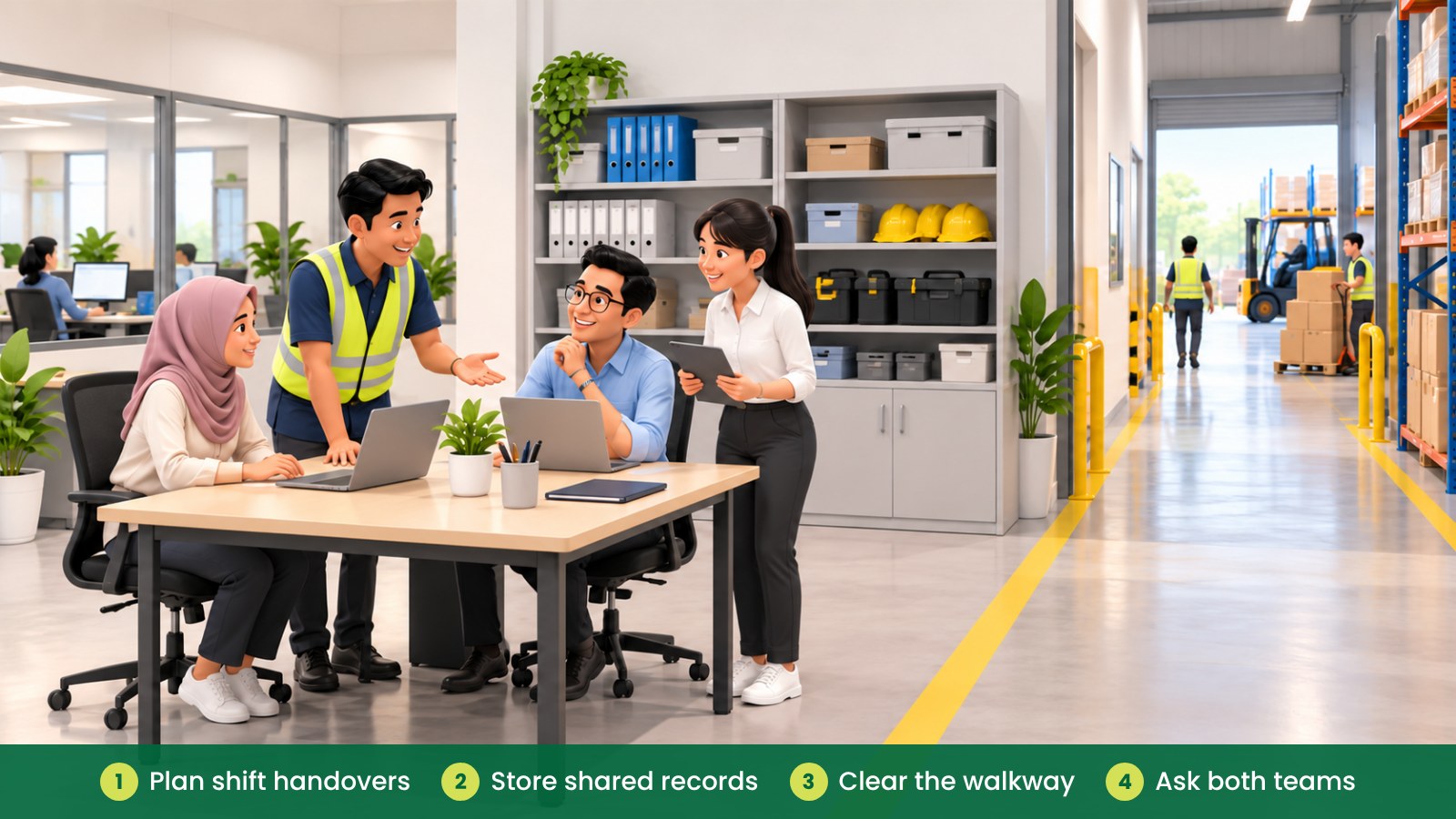
How can you keep the office usable during busy periods?
Busy periods can bring extra paperwork, temporary staff, deliveries or short-notice discussions. Keep frequently used surfaces available by storing spare items elsewhere and reviewing how much furniture the room really needs.
If more staff use the office during shift changes, check whether the meeting or briefing space can handle the activity without blocking desks or access. Avoid turning a walkway into a temporary holding area for cartons, files or equipment.
Review the arrangement when stock processes, staffing or equipment changes. A layout that worked when the team was small may need different storage or a clearer shared area after the operation grows.
Fictional example: a growing warehouse in Selangor
A fictional Selangor warehouse adds two admin staff to support deliveries and inventory updates. The existing room has desks, spare cartons and shared forms spread across the same area.
The manager asks staff which documents and equipment they use daily, then moves seldom-used supplies to a dedicated cabinet. The team defines a small briefing point and clears the route between the office door and the warehouse. They review the setup after a few weeks and make small changes based on staff feedback.
What common mistakes should you avoid?
- Using the office as overflow storage: keep cartons, tools and stock in their planned areas.
- Placing desks without checking routes: review doors, chair movement and access to the warehouse.
- Ignoring operational noise: consider where calls and detailed admin tasks happen.
- Leaving shared records scattered: assign cabinets or labelled storage for current documents.
- Forgetting shift handovers: make space for short briefings and shared updates.
- Planning without warehouse staff: involve people who understand daily movement and equipment needs.
How can iGreen help plan a warehouse admin office?
iGreen can help assess the office area, plan desks and storage, and select ergonomic chairs and other furniture for the work involved. A site assessment can help your team review measurements, access and circulation before finalising a layout. iGreen supports delivery and installation in Kuala Lumpur and Penang.
Request a site assessment from iGreen (KL and Penang).
Frequently asked questions
Should a warehouse admin office be close to the warehouse floor?
That depends on communication needs, noise, access and how staff move around the site. Review the location with both admin and warehouse teams before fixing the layout.
What furniture is useful in a warehouse admin office?
Common needs include work desks, adjustable chairs, document storage and a shared surface for briefings or equipment. Choose items based on actual tasks and available space.
How can I prevent office storage from becoming cluttered?
Assign storage by purpose, label shared areas and review items that are no longer used. Keep walkways and desk surfaces clear of boxes and overflow supplies.
When should the layout be reviewed?
Review it when staffing, equipment or warehouse processes change, and ask employees what is difficult during daily work. A short follow-up can help catch practical issues early.